What Is NPV Tunnel? An Honest Overview of the App, Its Features and Who It Is For
If you have landed here, you have probably seen the name NPV Tunnel in a Telegram group, a YouTube comment or an app store search and wondered what exactly it is. Let's clear that up properly, including the parts that confuse most newcomers.
The one-sentence answer
NPV Tunnel is a free app for Android and iPhone that connects your device to a server using a configuration you give it, and sends your traffic through an encrypted tunnel. It was originally released as NapsternetV, which is why you will still see that name, and the Android package ID com.napsternetlabs.napsternetv, in a lot of places.
The thing most people miss: it is a client, not a service
A normal consumer VPN (the kind you pay for monthly) bundles an app, thousands of servers and an account system. NPV Tunnel is only the first part. It is the app. There are no built-in servers, no account to sign up for and no "connect to Germany" button waiting for you when you open it for the first time.
What you need to bring is a config: a small piece of data (a file, a QR code, a link or a block of text) that tells the app which server to talk to, which protocol to use and which credentials to present. You can get that from your own server, from a company or school that runs one, or from a provider you trust. Without it, the app opens, looks great, and has nothing to connect to. Knowing this up front saves a lot of "why doesn't it work?" frustration.
What it can do
Many protocols in one place
This is the main reason people install it. From the store listings, NPV Tunnel supports VLESS, VMess, Trojan, Shadowsocks, Hysteria2, WireGuard, SSH, DNSTT, SOCKS and HTTP, and it accepts custom Xray JSON for people who like to write their own configs. We explain each one in plain language in our protocols guide.
Flexible import
You can add a subscription, scan a QR code, paste from the clipboard, import a file or build a config by hand. If you have been handed a file and don't know what to do with it, start with the config file guide.
A real config library
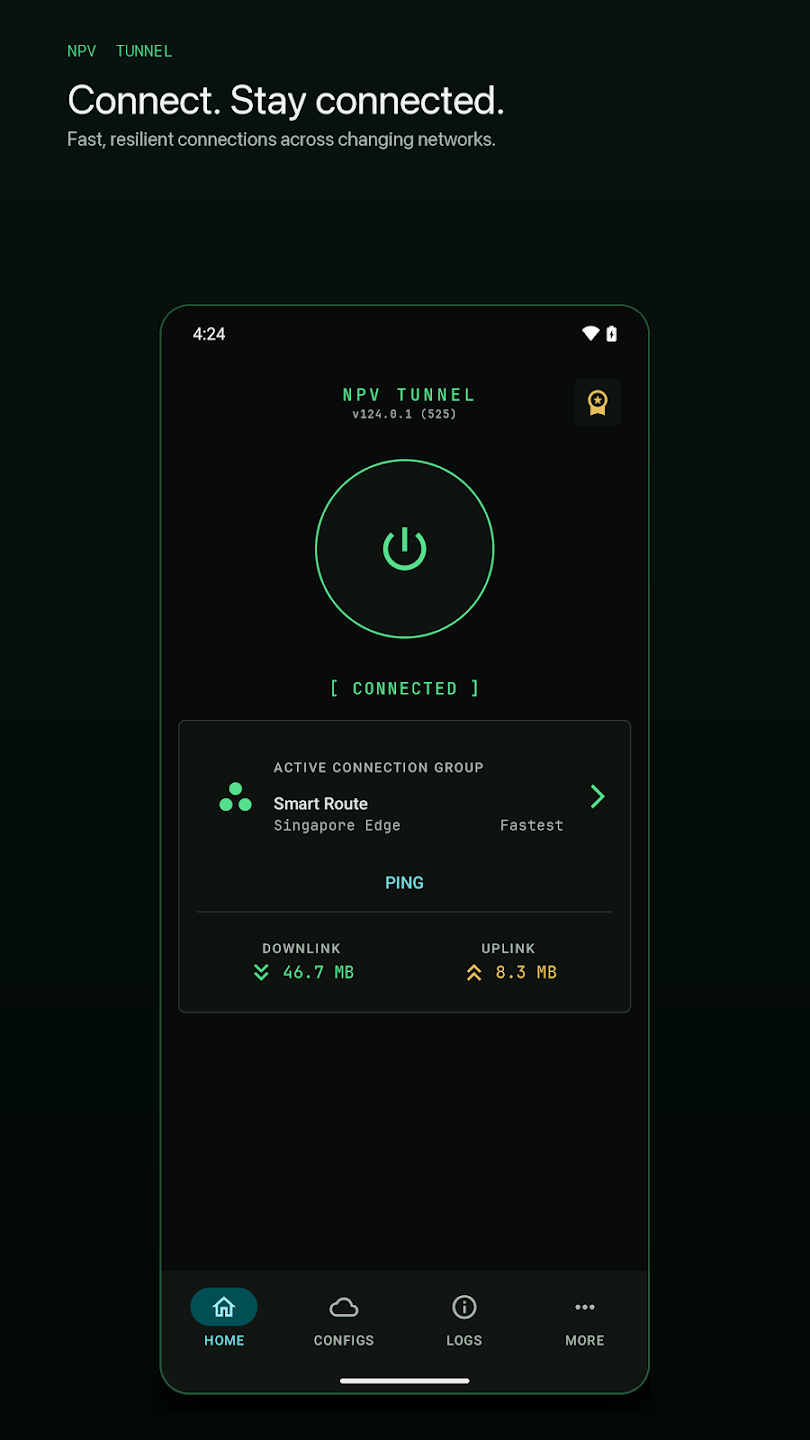
Configs live in a searchable, sortable library with ping results, expiry details and usage information. Subscriptions can refresh automatically, and you can group servers into smart groups that pick the fastest one for you.
Sharing with control
You can export a config and decide whether the recipient can only connect, or also view and edit it. Delivery can be tied to specific public keys or a passphrase. The details are in our sharing guide.
The everyday stuff
Connection logs, recovery when your network changes (Wi-Fi to mobile data, for example), a per-app proxy so you choose which apps go through the tunnel, light, dark and automatic themes. Nothing flashy, but it is the kind of detail that makes an app pleasant to live with.
What it does not do
- It does not provide servers or free internet. Speed and reliability depend on the server in your config.
- It does not make you anonymous. The operator of the server you connect to can see where your traffic goes, as with any VPN or proxy.
- It does not replace HTTPS. Keep using secure sites.
Is it free?
Yes, it is free to install on both platforms and supported by ads. In the app's More tab there is a Premium option that removes ads, and a points system where you can earn points by watching videos. The iOS listing notes that it contains advertising and mentions purchases and subscriptions.
Who is it for?
NPV Tunnel suits people who already have a server or a trusted provider: developers and hobbyists who run their own VPS, small teams who share access, and customers of services that hand out V2Ray or SSH configs. If you want a "press one button and be in another country" experience with no setup, a traditional commercial VPN is a better fit.
Where to get it
Only from the official stores, please. Modified APKs on random websites are the most common way people end up with malware.
Ready to set it up? Continue to how to use NPV Tunnel.
A short history: from NapsternetV to NPV Tunnel
The app first appeared on the App Store in mid-2022 and has been updated steadily since. Early releases focused on SSH and Psiphon modes; V2Ray support followed, UDP support was added to V2Ray mode in late 2022, and the Xray core has been updated again and again. Psiphon mode was removed on iOS in version 42.0, and by version 57.0 the iPhone app had been redesigned with smart groups and public-key sharing. You can follow the whole story in the changelog.
How a connection actually happens
When you press connect, the app creates a virtual network interface (this is why the system asks for VPN permission). All traffic from your phone, or only from the apps you pick in the per-app proxy, is handed to that interface. NPV Tunnel wraps each connection using the protocol in your config and sends it to your server. The server unwraps it, talks to the real website, and sends the answer back the same way. To the website, you appear to come from the server's address.
NPV Tunnel versus a commercial VPN
| NPV Tunnel | Typical commercial VPN | |
|---|---|---|
| Servers included | No, bring your own config | Yes, thousands |
| Account | None needed | Required |
| Protocols | 10+ including V2Ray family, SSH, DNSTT | Usually 2 to 4 |
| Price | Free with ads, Premium removes ads | Monthly subscription |
| Best for | Own server, provider configs, tinkerers | Plug-and-play privacy |
Is the Premium option worth it?
If you use the app daily and the ads bother you, Premium (listed under the More tab as "Subscribe to remove ads") is the straightforward fix. The app also has a points system that lets you earn points by watching videos and spend them on rewards. If you only connect occasionally, the free version is perfectly usable.
Getting the most out of it
- Keep one tidy folder of configs and delete expired ones.
- Build a Smart Route group that mixes two protocols.
- Use the per-app proxy so banking apps do not travel through a third-party server unless you want them to.
- Check the changelog after updates.
Frequently asked questions
Is NPV Tunnel the same as NapsternetV?
Yes. NPV Tunnel is the current name of the app that was released as NapsternetV. The Android package ID still contains napsternetv.
Does NPV Tunnel work without a config?
No. The app is only a client and needs a configuration (file, QR, link, subscription or manual details) before it can connect.
Does NPV Tunnel hide my IP address?
Websites see the IP address of the server in your config instead of your own. Whoever runs that server can still see your traffic metadata, so choose servers you trust.
Can I use NPV Tunnel on iPad?
Yes. The iOS version requires iOS or iPadOS 16.0 or later.
Keep reading
How to Use NPV Tunnel: A Complete Setup Guide for Beginners
Learn how to use NPV Tunnel step by step: install, import a config by file, QR, link or cl…
NPV Tunnel Supported Protocols Explained in Plain English
Every protocol NPV Tunnel supports explained simply: VLESS, VMess, Trojan, Shadowsocks, SS…
Is NPV Tunnel Safe? Permissions, Privacy and Practical Safety Tips
Is NPV Tunnel safe? Learn why it needs VPN permission, who can see your traffic, how ads a…